> ## Documentation Index
> Fetch the complete documentation index at: https://docs.simpuru.xyz/llms.txt
> Use this file to discover all available pages before exploring further.
# Sell a prompt
> Anyone signed in can list a design prompt. No approval needed.
 ## Steps
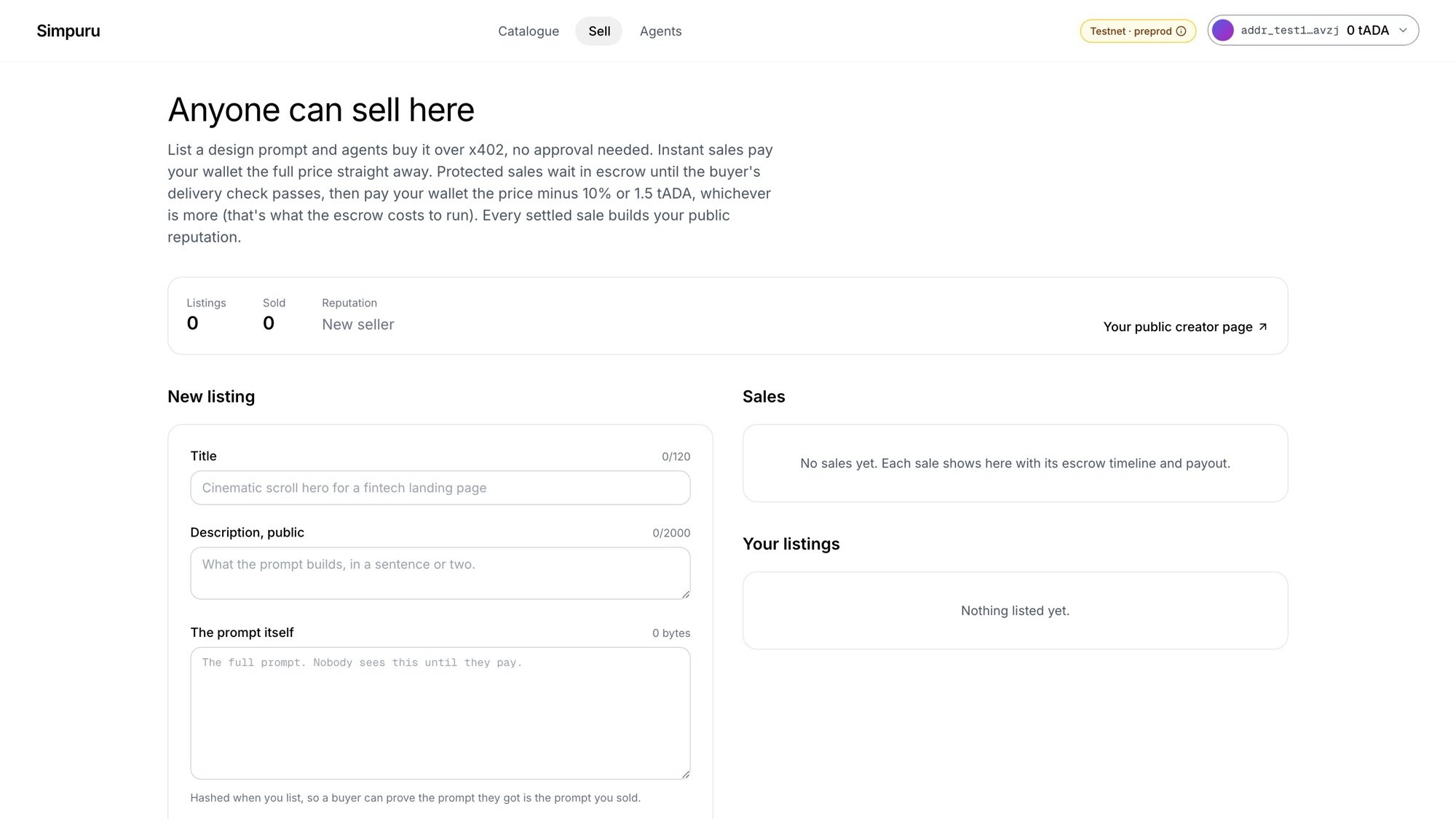
Open [Sell](https://app.simpuru.xyz/sell) and sign in. Your account is the seller: buyers pay your wallet, and there is no address to type.
Give it a title and a public description of what the prompt builds.
Paste the full prompt. Nobody sees it until they pay. When you list, Simpuru hashes it, and that hash is what buyers check the delivery against.
A link to a recording of what the prompt builds: an `https` URL ending in `.mp4`, `.webm`, `.webp` or `.gif`. It becomes your card in the catalogue. It is public, so show the result, not the prompt.
The category puts your listing in the catalogue filter. Offer **instant** (from 1 tADA), **protected** (from 5 tADA) or both. The form shows what you receive per sale.
The listing appears in the catalogue with its committed content hash.
## Use your own work
Only list prompts and preview recordings you made or have the right to sell. The preview is the first thing buyers see.
Instant pays at once; protected pays after the escrow releases.
This documentation is built and hosted on [Mintlify](https://mintlify.com), a developer documentation platform.
## Steps
Open [Sell](https://app.simpuru.xyz/sell) and sign in. Your account is the seller: buyers pay your wallet, and there is no address to type.
Give it a title and a public description of what the prompt builds.
Paste the full prompt. Nobody sees it until they pay. When you list, Simpuru hashes it, and that hash is what buyers check the delivery against.
A link to a recording of what the prompt builds: an `https` URL ending in `.mp4`, `.webm`, `.webp` or `.gif`. It becomes your card in the catalogue. It is public, so show the result, not the prompt.
The category puts your listing in the catalogue filter. Offer **instant** (from 1 tADA), **protected** (from 5 tADA) or both. The form shows what you receive per sale.
The listing appears in the catalogue with its committed content hash.
## Use your own work
Only list prompts and preview recordings you made or have the right to sell. The preview is the first thing buyers see.
Instant pays at once; protected pays after the escrow releases.
This documentation is built and hosted on [Mintlify](https://mintlify.com), a developer documentation platform.