> ## Documentation Index
> Fetch the complete documentation index at: https://docs.simpuru.xyz/llms.txt
> Use this file to discover all available pages before exploring further.
# Fund your Simpuru wallet
> The wallet you and your agents spend from, filled with free test ADA.
Every account has a **Simpuru wallet**: a wallet Simpuru holds for you on preprod. You fund it with tADA, you buy from it on the website, your agents buy from it within your limits, and you can send everything back to your own wallet at any time.
 ## Steps
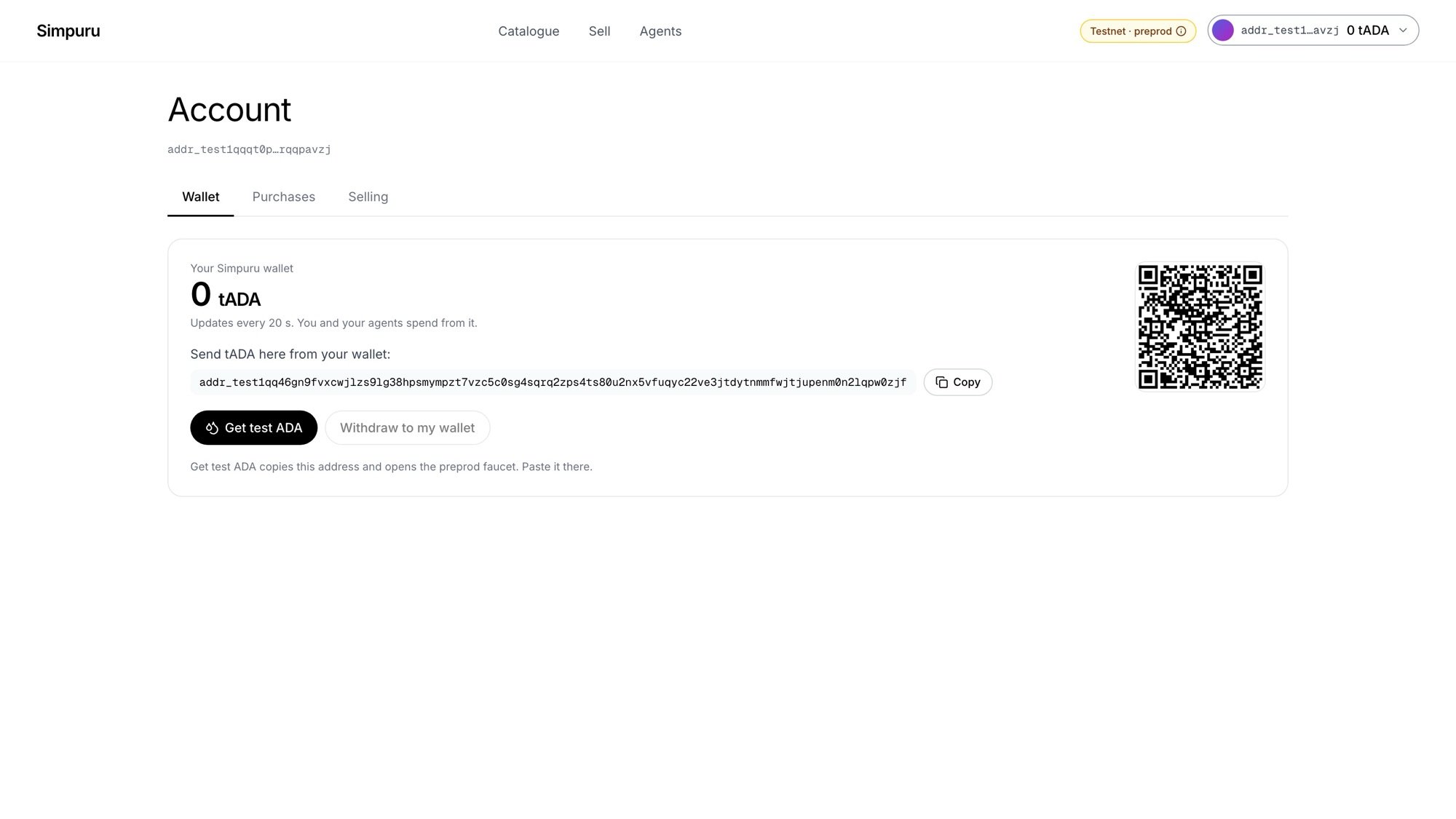
Click your address at the top right, then **Account**. The **Wallet** tab shows the balance, the wallet's address and a QR code.
Click **Get test ADA**. It copies the address and opens the [preprod faucet](https://docs.cardano.org/cardano-testnets/tools/faucet) in a new tab. Paste the address there and request funds. You can also send tADA from your own wallet to the same address.
The balance refreshes every 20 seconds. When the funds land, a note like **+10 tADA arrived** appears.
A protected purchase needs at least 5 tADA plus about 0.2 tADA for the network fee.
This documentation is built and hosted on [Mintlify](https://mintlify.com), a developer documentation platform.
## Steps
Click your address at the top right, then **Account**. The **Wallet** tab shows the balance, the wallet's address and a QR code.
Click **Get test ADA**. It copies the address and opens the [preprod faucet](https://docs.cardano.org/cardano-testnets/tools/faucet) in a new tab. Paste the address there and request funds. You can also send tADA from your own wallet to the same address.
The balance refreshes every 20 seconds. When the funds land, a note like **+10 tADA arrived** appears.
A protected purchase needs at least 5 tADA plus about 0.2 tADA for the network fee.
This documentation is built and hosted on [Mintlify](https://mintlify.com), a developer documentation platform.